
Solution for public sector
Every building, every PC, and a carbon figure to report.
Public sector organisations run PCs across offices, libraries, depots and community buildings, with budgets to protect and carbon targets to report against. Acquaintia puts idle PCs to sleep across all of them and estimates the change.
-
Civic offices: asleep from 00:00 to 02:00, woken by Acquaintia from 02:00 to 05:00, asleep from 05:00 to 08:20, woken by Acquaintia from 08:20 to 08:30, in use from 08:30 to 17:00, asleep from 17:00 to 24:00.
-
Library: asleep from 00:00 to 08:50, woken by Acquaintia from 08:50 to 09:00, in use from 09:00 to 19:00, asleep from 19:00 to 24:00.
-
Depot: asleep from 00:00 to 05:50, woken by Acquaintia from 05:50 to 06:00, in use from 06:00 to 14:30, asleep from 14:30 to 24:00.
The problem
Spread out, and accountable for all of it.
-
Many buildings
Offices, libraries, depots and community buildings, each keeping its own hours.
-
Carbon targets
Net zero commitments need a figure for IT’s electricity, and a way to show it falling.
-
Data stays in house
Many organisations need their data on infrastructure they control.
What does the work
The parts of Acquaintia that take this on.
How it is done
From every building to one report.
-
Model your buildings
Locations for every site, synced from Active Directory, with rules that place each PC.
-
Hours for each building
Policies for groups that rules fill by location, so libraries, depots and offices each keep their own hours.
-
Your carbon factor
A carbon factor on every tariff, such as the UK government’s published factor for grid electricity.
-
Report against a baseline
Estimated energy and carbon for the sites and period you choose, exported as CSV.
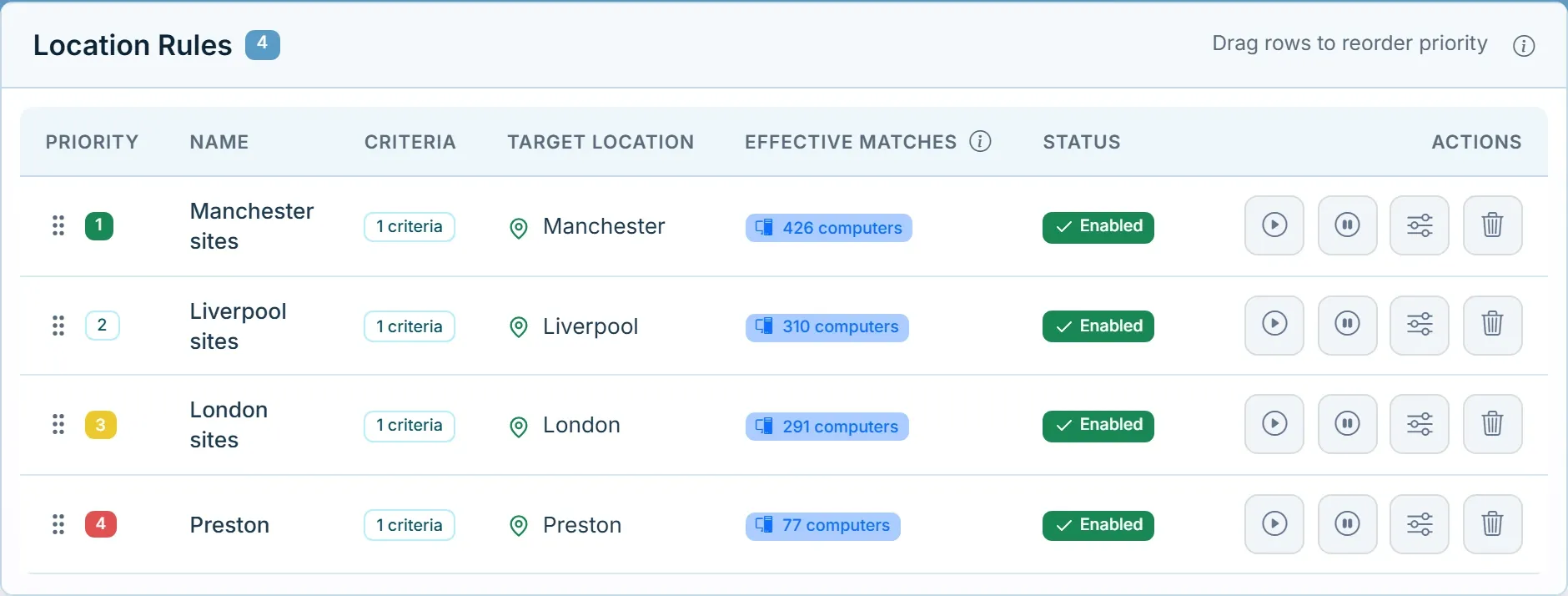
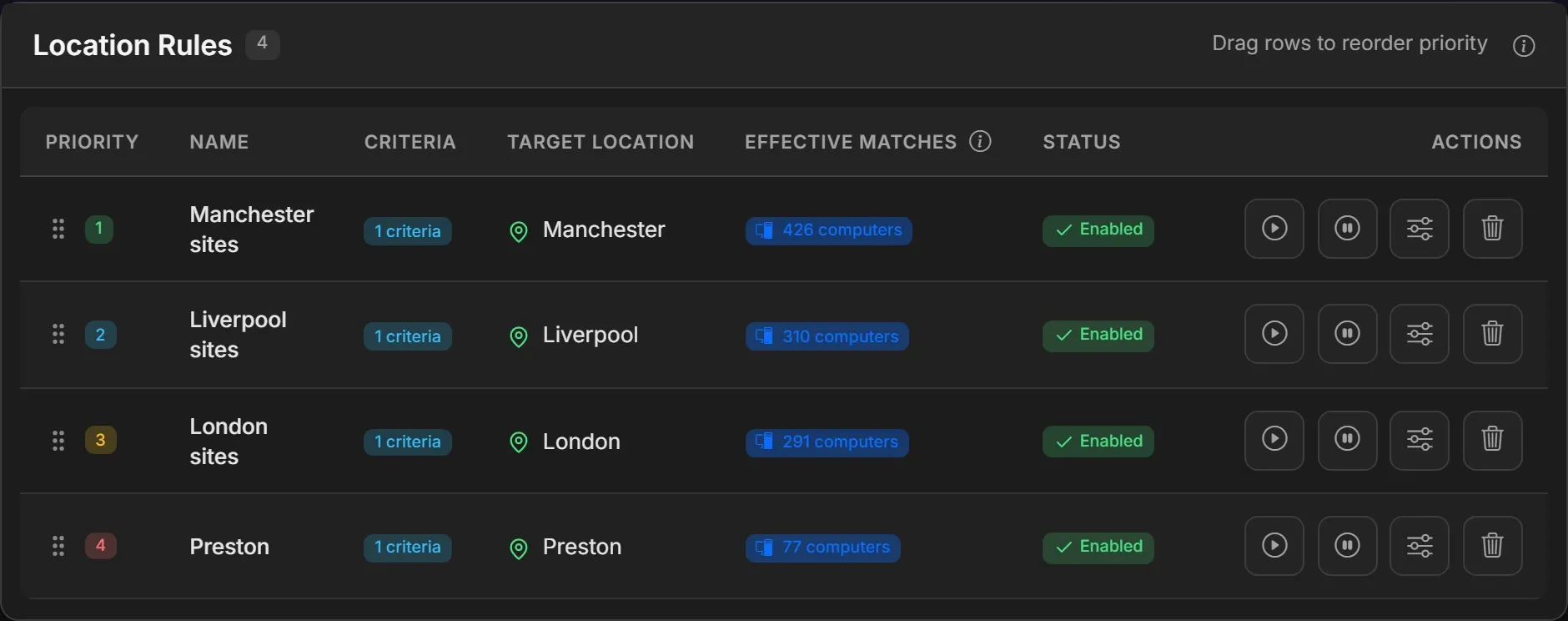
New PCs land in the right building.
Rules place each PC by criteria such as IP range, OU, directory group and model, in the priority order you set.
Questions
Does it run on our own servers?
Yes. Acquaintia runs on a Windows server you manage, with IIS and SQL Server, and its agent on 64-bit Windows 10, Windows 11 and Windows Server 2016 or later.
Which carbon factor should we use?
The one your organisation reports with. UK organisations often use the government greenhouse gas conversion factor for grid electricity, which is updated every year.
See it across your buildings.
Book a demo and we’ll show you your sites, their policies and a carbon report side by side.
Other sectors
- Healthcare Round-the-clock areas, shared workstations and offices that keep office hours.
- Education Shared PCs in labs, libraries and teaching rooms, empty for long stretches.
- Financial services Offices and branches, overnight jobs and a demanding security review.
- Professional services Late nights, hybrid desks and several offices.
- Acquaintia PC power management for Windows fleets: sleep, wake and the energy behind it.
- Cut out-of-hours energy waste Stop powering PCs nobody is using at night and at weekends.