
Wake-on-LAN
Asleep all night. Ready when people arrive.
Acquaintia wakes sleeping PCs over the network: one machine, a group or a whole location, on demand from the console. Policies wake them before the working day and for maintenance, and every wake request is recorded.
A night with Acquaintia
Awake only when there's a reason to be.
An example policy: business hours from nine to five, and a maintenance window from two to five in the morning.
What's on screen
- 0:00 02:00, Wednesday. Every PC wakes to patch.
- 0:03 Set a maintenance window. Power management steps aside while updates install.
- 0:09 At 05:00, back to sleep. Patched, with nobody’s day interrupted.
- 0:11 Acquaintia. Updated overnight. Back asleep by morning.
-
17:00
Business hours end
The after-hours scheme takes over. Idle PCs start to sleep.
-
02:00
Maintenance window opens
Acquaintia wakes PCs so updates and backups run.
-
05:00
Maintenance window closes
Once idle again, PCs go back to sleep.
-
08:50
Auto-wake
Ten minutes before business hours, PCs wake.
-
09:00
People arrive
Every PC is awake and ready.
Auto-wake
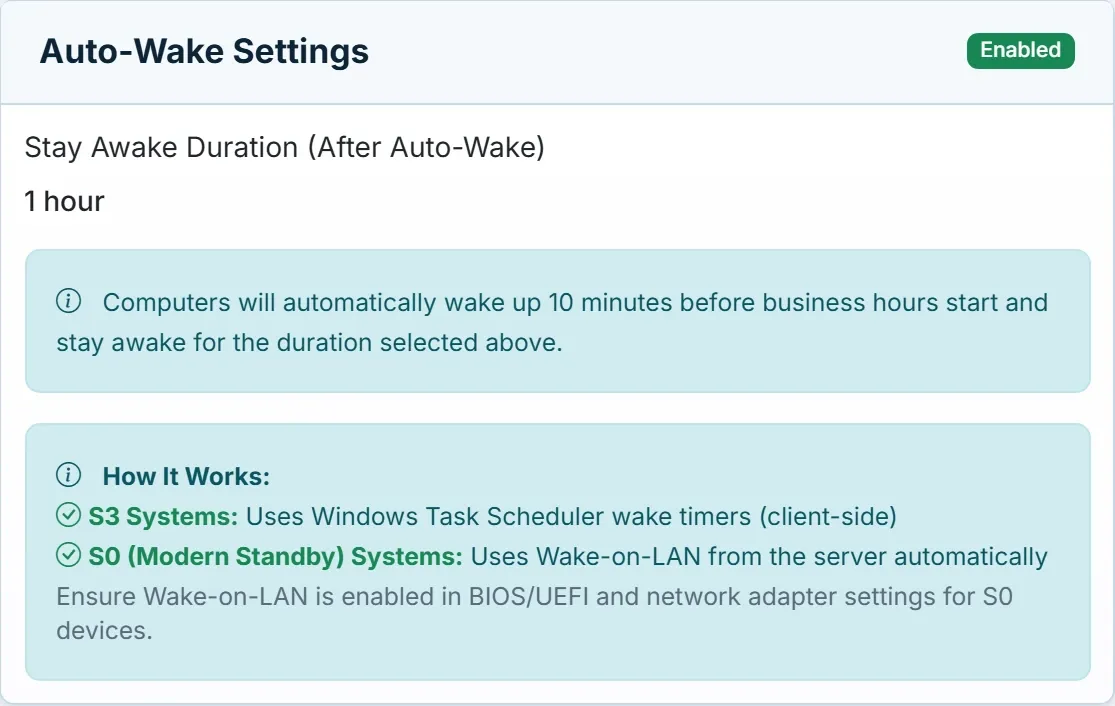
Two ways to wake, chosen for each PC.
PCs that use traditional sleep wake themselves, on a Windows wake timer that Acquaintia sets. Modern Standby PCs ignore wake timers, so the Acquaintia server wakes them over the network instead. Either way they stay awake for as long as the policy says.
Wake-on-LAN has to be turned on in each PC's firmware and network adapter settings.
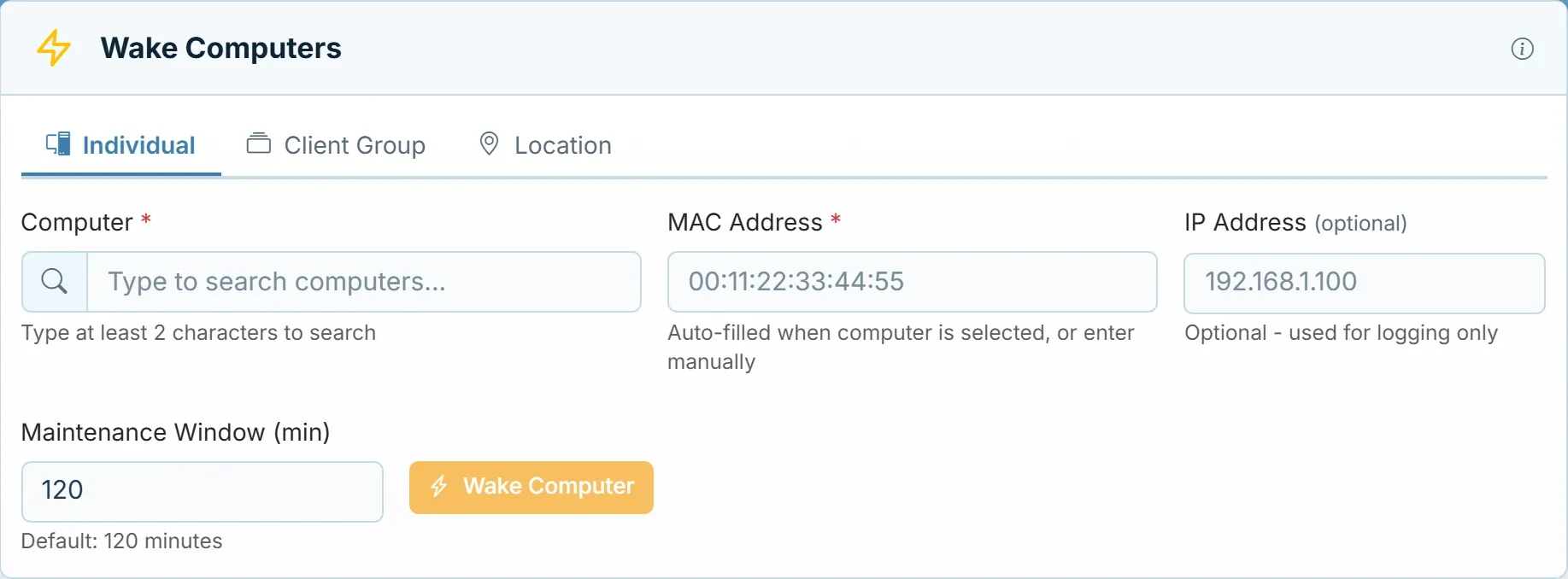
On demand, with a record
Wake one PC, or a whole site.
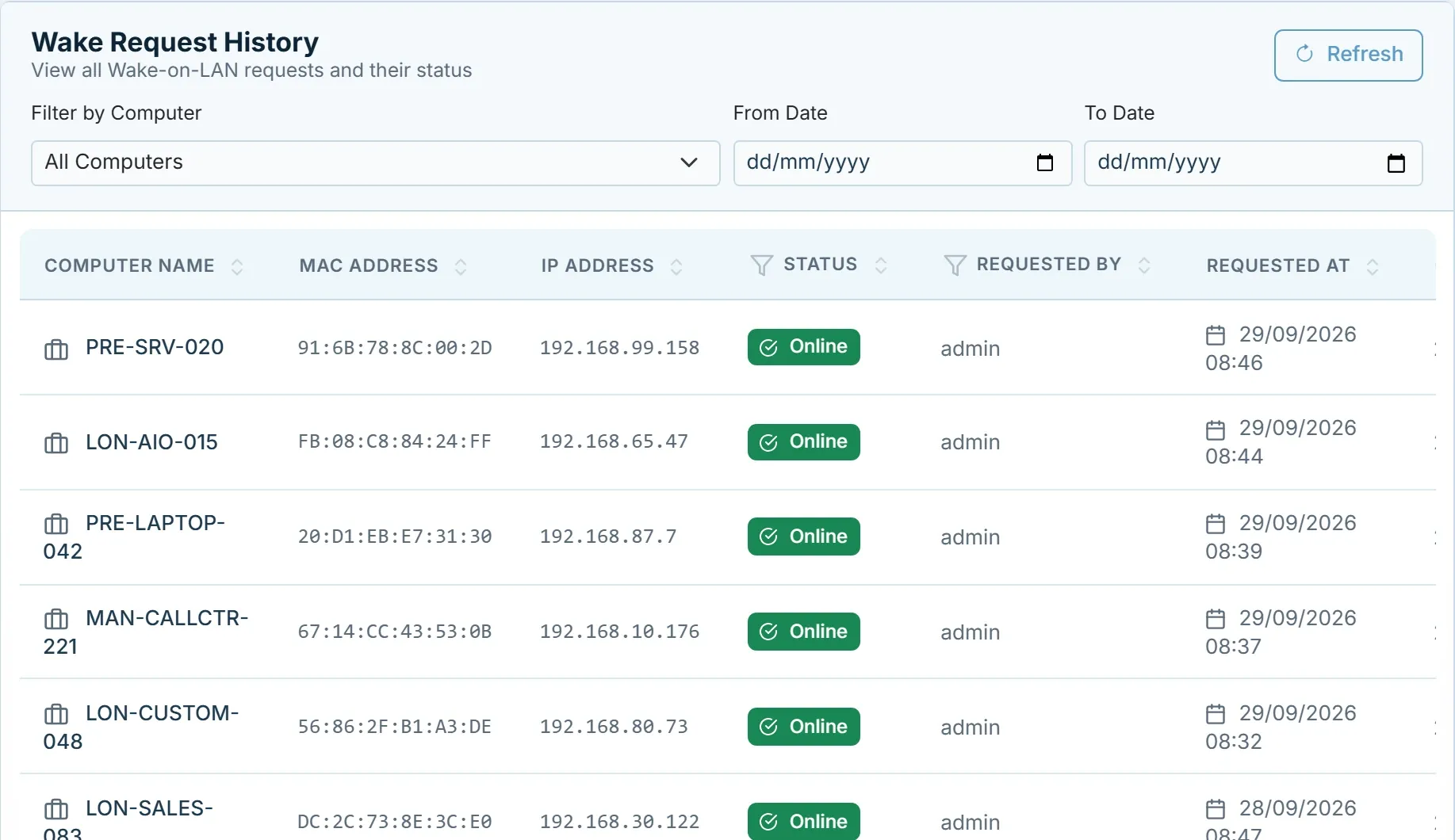
Wake a single computer by name, or every PC in a group or location at once. Wake history keeps each request: the computer, its MAC and IP address, who asked, when, and the result.
The console can also sleep, hibernate, shut down or restart a PC. The agent carries out the command when it next checks in.
Questions
What is Wake-on-LAN?
A standard way to wake a sleeping computer by sending a small network message, a "magic packet", to its network adapter. The PC has to support it, with Wake-on-LAN turned on in its firmware and network adapter settings.
What about PCs that use Modern Standby?
Modern Standby PCs do not honour Windows wake timers, so Acquaintia wakes them with Wake-on-LAN from its server. PCs that use traditional sleep wake themselves on a Windows wake timer that Acquaintia sets.
Can I wake PCs at a time of my choosing?
Automatic wake times come from the policy: just before business hours begin, and at the start of a maintenance window. At any other time, wake PCs on demand from the console.
Is every wake recorded?
Yes. Wake history lists every request with the computer, its MAC and IP address, who asked for it, when, and its status.
Stop choosing between saving power and patching on time.
Book a demo and we'll show you how a maintenance window and auto-wake fit your update schedule.