
Device visibility
Every PC: where it is, what it is, and whether it's asleep.
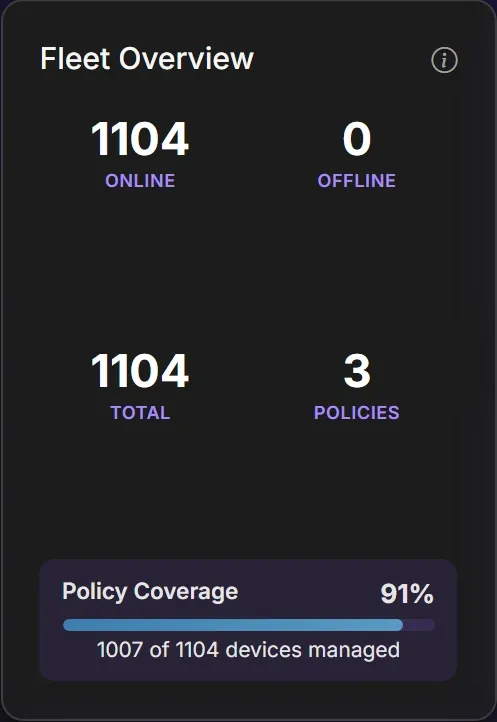
Each Acquaintia agent checks in every few minutes with its power state and hardware. Organise PCs into a location tree, sync them from Active Directory, and let rules put every new machine in the right place with the right policy.
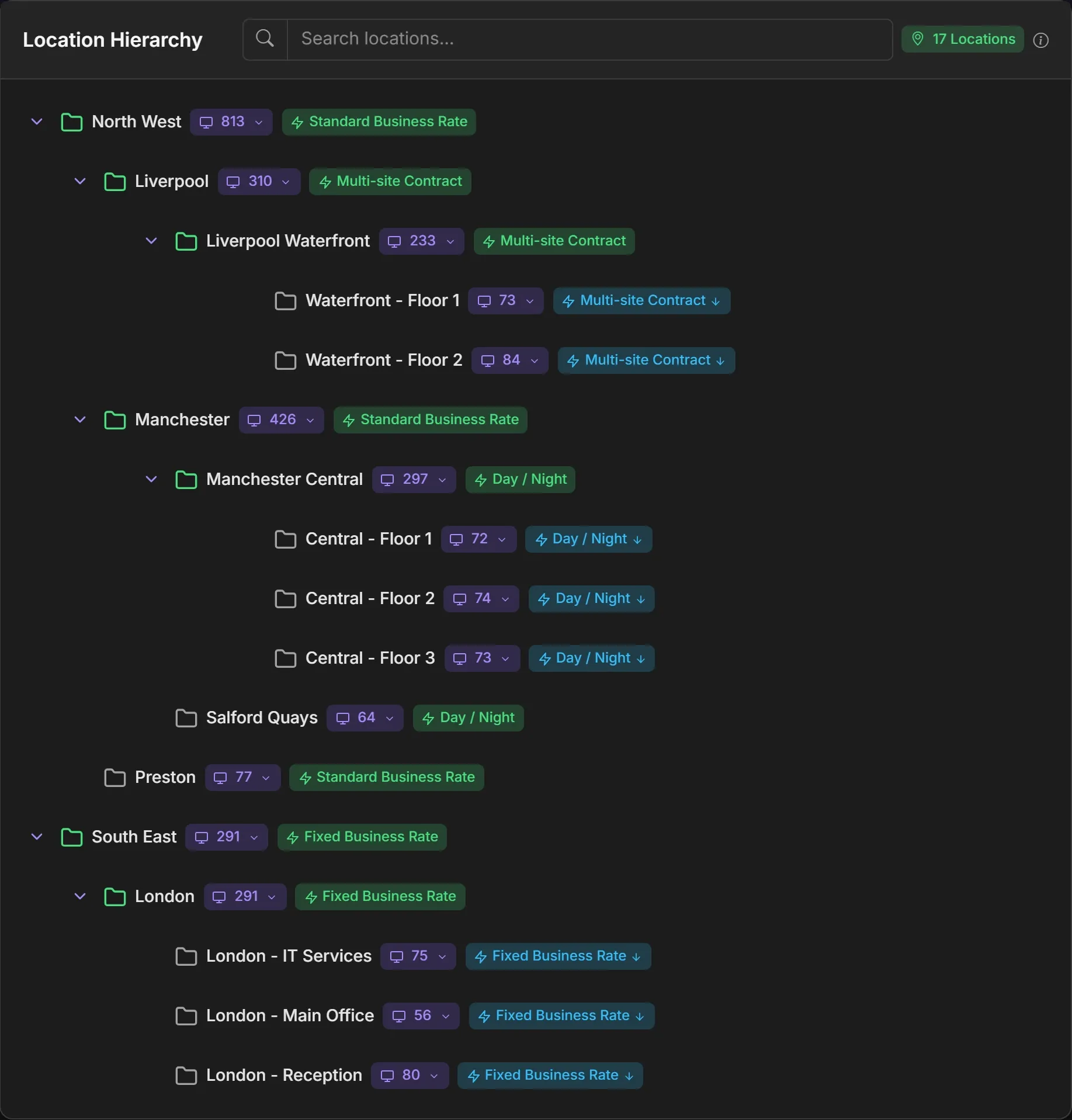
Locations
Your organisation, as a tree.
Regions, sites, buildings and floors, nested as deep as you need. Each level can carry its own tariff, and everything below it inherits the tariff unless it sets its own.
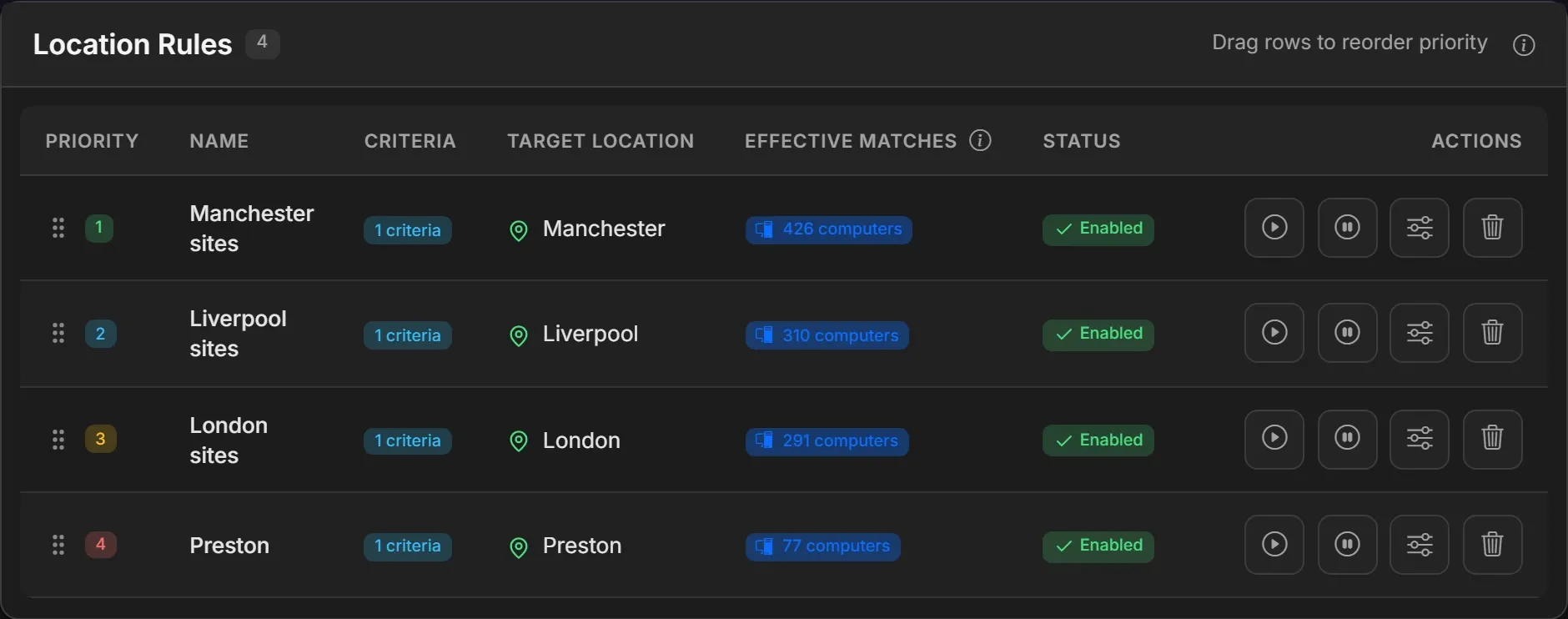
Rules
New PCs sort themselves.
Location and group rules match PCs on sixteen criteria, among them IP range, Active Directory OU and group, and hardware model. Put them in priority order and each PC lands where it belongs, without anyone sorting it.
Inventory
The hardware behind every estimate.
The agent reads each PC's hardware from Windows. The same record tells Acquaintia which wattage profile to use, so the energy estimate follows the machine.
- Processor
- Memory
- BIOS
- Disks
- Network adapters
- Battery
- Monitors
- Agent version
Active Directory
Sync computers, users, groups and OUs over LDAP, on a schedule. The OU tree in Acquaintia mirrors your directory, ready for rules to use.
Power state
Online or offline, and active, idle, asleep or off, as of each PC's last check-in. Status comes from the agent itself, not from a network scan.
Archive and restore
Archive PCs that have left, one at a time or in bulk, and restore one if it comes back.
Questions
How current is the status I see?
Each agent checks in every few minutes, every five by default. The console shows each PC as of its last check-in, and counts a PC as online if it has checked in within the last 15 minutes.
Do I have to organise PCs by hand?
No. Sync computers from Active Directory, then write rules that place PCs in locations and groups by criteria such as IP range, OU, directory group and model. Rules run in the priority order you set, and the first one a PC matches places it.
Does it work with Active Directory?
Yes. Acquaintia connects over LDAP and syncs computers, users, groups and OUs on a schedule.
What hardware does the agent report?
Processor, memory, BIOS, disks, network adapters, battery and monitors, along with the Acquaintia agent version on each PC.
See every PC, including the ones nobody switched off.
Book a demo and we'll show you your locations, your directory sync and your rules working together.